Categories News

3D printing and charity

    E-NABLE is a growing group of over 3600 members who have come together from all over the World to help create and design 3D Printed assistive hand devices for those in need. people in E-NABLE are engineers, artists, makers, students, parents, occupational therapists, prosthetists, garage tinkerers, designers, teachers, creatives, philanthropists, writers and many others…
Categories New arrival

Introducing Geeetech Aluminum Prusa I3 3D Printer kit

  This Aluminum Prusa I3 3D Printer is modified and manufactured by Shenzhen Getech Co., Ltd., based on Prusa i3. With features of extremely simple assembly, easy debugging and more stable performance, the Aluminum Printer is an ideal reference for you. The new frame is made from aluminum for durability and extending service life. In…

Categories Special offers

3D print your own 3D hologram projector

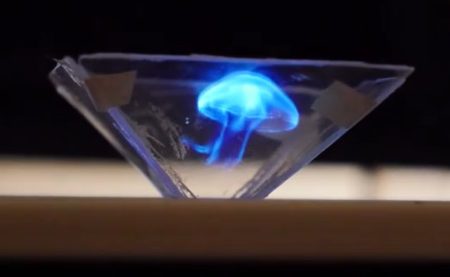
3D hologram projector seems to be a exclusive device for the high-tech movies, but now, with a 3d printer, you can make your own 3D hologram projector thanks to Gianluca Pugliese, one Italian designer, he had developed a remarkably simple way to turn your smartphone into a holographic projector: simply 3D print a transparent pyramid…

Categories New arrival News

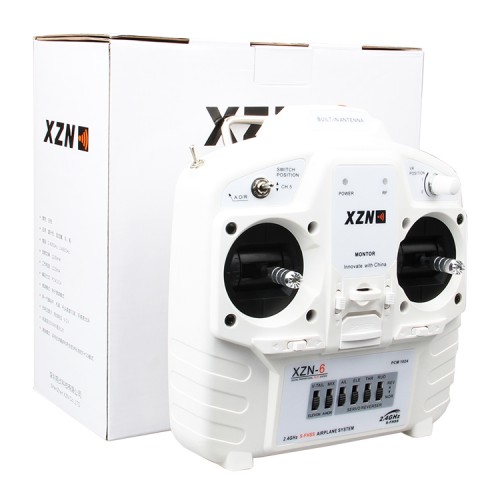
Introducing XZN-6 2.4GHz remote-control radio

The XZN-6 remote-control radio is a great entry level 6-channel telemetry 2.4ghz computer transmitter that uses solid and reliable Frequency-hopping spread spectrum (FHSS) spread spectrum technology. The XZN-6 has both a nice quality look and feel, while the programming is simple to use. The XZN-6 also has so many impressive list of features that it…

Categories Special offers

Specials

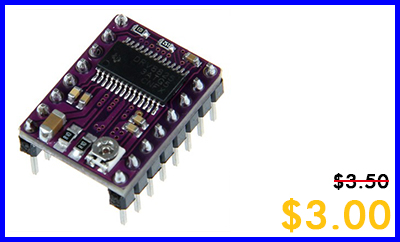
1.Acrylic Geeetech I3 pro B 3D Printer kit  -(2015-7-24)-Firday 2.RepRap Rambo 1.2G controller board  -(2015-7-25)-Saturday 3.315Mhz RF 4 Channels Wireless Relay Remote Control Module -(2015-7-26)-sunday 4.StepStick DRV8825 Stepper Motor Driver Carrier Reprap 4layer PCB -(2015-7-27)-monday That’s all, may you have a good time.

Categories New arrival

Geeetech prusa I3 X

This is the printing test of our geeetech prusa I3 X. Geeetech Prusa I3 X is a new member of the prestigious Prusa I3 family, it was engineered to provide redefined usability, quality, performance and most important, best affordability in desktop 3D printer market. Quick-release feed gears for faster and fluent filament feeding Super-flat aluminum…

Categories News

Should we share 3D poison dart gun ?

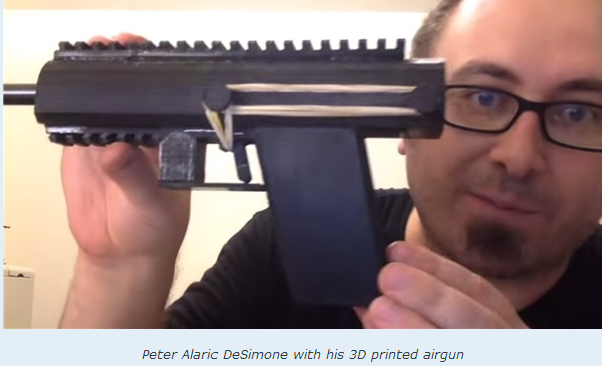
A recent announcement by the US State Department has triggered a fresh wave of controversy surrounding 3D printed guns, online file sharing and the right to free speech, inciting maker and gun activist Peter Alaric DeSimone to 3D print and share the files for a .40 caliber poison dart airgun. The controversy truly began to heat…

Categories Tutorials

How to Print dual color models with geeetech prusa I3 pro C

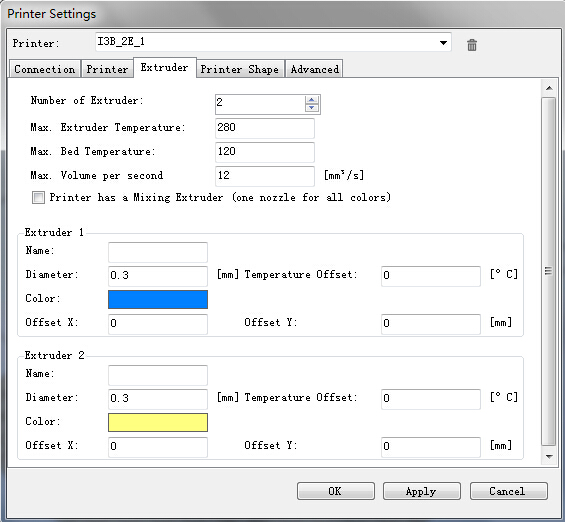
if you are interested in 3D printing, you cannot afford to miss this post, today, i will show you a step by step instruction on how to print dual color models with geeetech prusa I3 pro C.     Before reading this text,please make sure you have already read the set up guide of the version of 13B single extruder and you can use it to print 3D models. If not, please learn how to operate the single extruder. Of course, you can take this one as the single extruder version to start.  Step 1:Open Repetier Host,click Config/Printer Settings to set up the connection.  1. Name your printer.  2. Select the corresponding COM port and baud rate. Baud rate is generally 115200 or250000. 3. If you are not sure about the COM port, you can check it in your device menager.  Step 2: Set up your extruder Choose the number of extruder, here we choose 2. Set up the diameter and color of filament Offset X/Y refers to the distance between the two extruders,which can be adjusted based on real situations. You can leave it alone now.   Step 3: Set up the shape of printer  Choose Classic printer as the printer type. Home X: min  Home Y: min   Home Z: min Print height: 150   Now,you can click the Connect button on the left corner to check whether it can connect with your printer. If it fails, please recheck the COM port and Baud rate. Step 4:  Manual control …