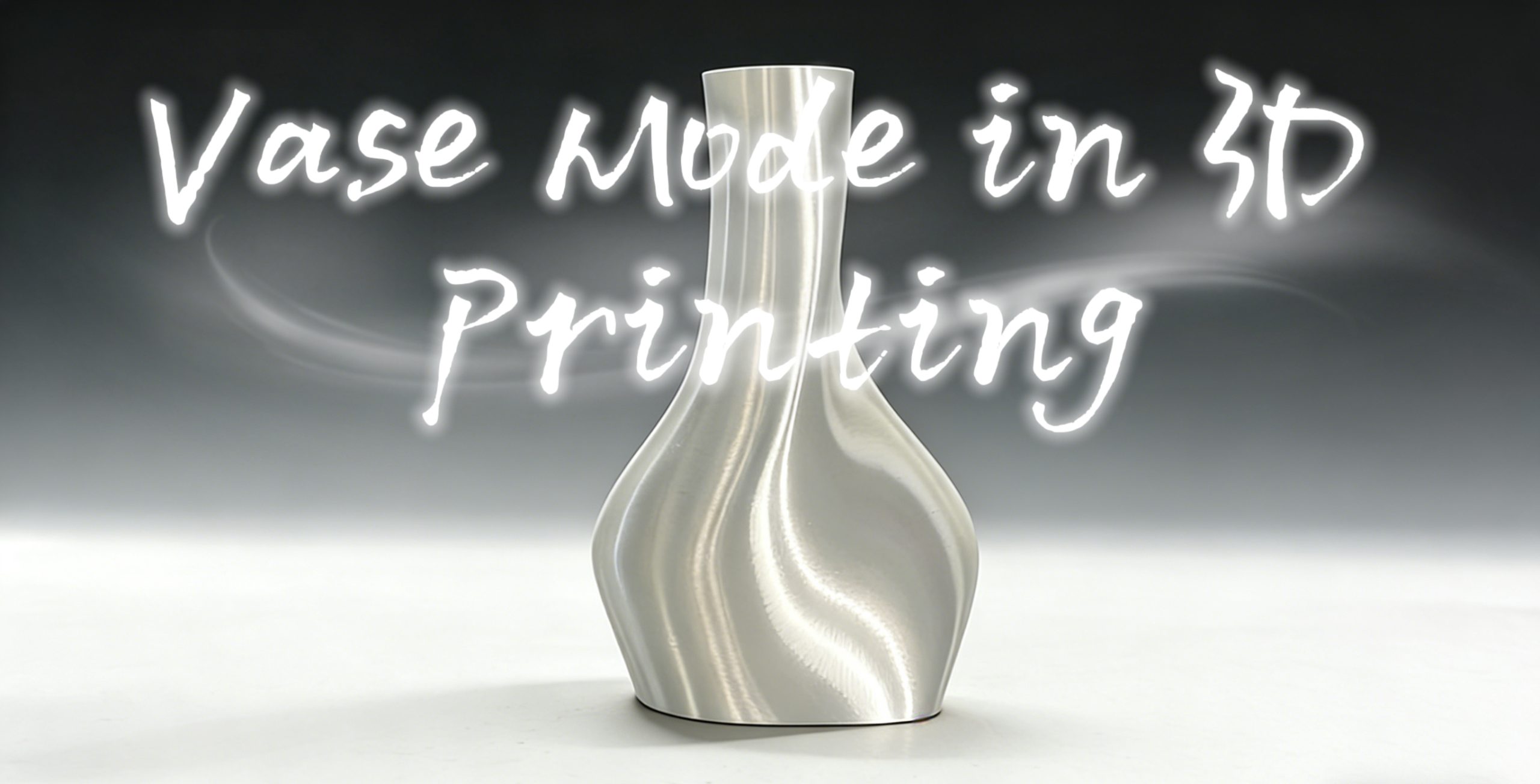
Vase mode, also referred to as spiral vase mode, is a unique method of 3D printing that is meant to print hollow and thin-walled objects with a smooth exterior finish. Unlike other 3D printing methods, which print in layers and have defined beginning and ending points, the vase mode makes use of a smooth motion in which the printing never stops and continues moving upwards in a spiral motion.
The Concept of Vase Mode in 3D Printing
Traditionally, a layer consists of perimeter, infill, and top layers. However, in vase mode 3D printing, all the infill and top layers are removed, and only a single wall is left. Instead of adding layers, the nozzle moves up in a spiral motion. Spiral 3D printing or 3D print spiral vase are frequently used to describe this technique.
The main principle behind 3D printing vase mode is efficiency and aesthetics. For example, the actual object, say a spiral vase, will have a very smooth finish since there are no layer changes and no Z seams. It will also require less filament, making it faster and cheaper to produce than traditional printing.
Whether the Vase Mode Is Right for Your Print?
Whether to employ the vase mode relies totally on your model design and planned application. It has significant drawbacks even if it provides clear benefits in terms of speed, material economy, and appearance.
When Is It Right?
When your 3D printing project has the following characteristics related to models’ features, print purpose, and 3D printing materials, the vase mode will be right for you.
The Best Models’ Features for Vase Mode
| Feature | Explanation | Examples |
| Hollow and open-top | The model is empty inside with no closed top or lid | Vases, pencil holders, storage containers, plant pots |
| Continuous outer wall | A single, uninterrupted outer contour from bottom to top | Cylinders, cones, curved surfaces |
| No detached features | No handles, ears, or overhanging decorations separate from the main wall | Smooth-surfaced containers |
| Uniform wall thickness | The model is designed for single-wall thickness with no internal reinforcement | Thin-walled decorative items, lampshades |
These characteristics are essential because the 3D print vase mode relies on a continuous extrusion path. Any interruption or complexity can break the spiral and cause print failure.
Print Purpose
| Purpose | Explanation |
| Surface smoothness | No Z-seam (printed as a continuous spiral), resulting in an exceptionally smooth exterior |
| Time and material savings | Single wall, no infill , significantly faster and uses less material than normal mode |
| Translucent or semi-transparent effects | Single wall maximizes light transmission, ideal for lampshades and decorative lighting |
| Rapid prototyping | Quick prints to verify shape and appearance without needing strength |
For example, if you’re creating a 3D printer vase, decorative lighting cover, or artistic object, 3D printing vase mode is often the best choice.
3D Printing Materials
The material you choose is very important for getting the best results. With some 3D printing filaments, it is simpler to obtain sleek and aesthetically pleasing finishes, especially using materials like the ones below:
- Clear or translucent PLA or PLA for lighting effects
- Glossy or silk PLA for decorative finishes
- PETG for slightly more durability with a shiny surface
These materials enhance the aesthetic strengths of spiral vase 3D print designs.
When Is It Wrong?
Despite its advantages, vase mode 3D printing is not suitable for many functional or complex prints.
| Situation | Reason |
| Model has a closed top | Vase mode cannot print solid tops , the top will remain open |
| Model needs to bear weight or withstand pressure | Single-wall construction is extremely weak and cannot support any load |
| Model has detached handles, ears, or decorations | These features are separate and cannot be printed with a continuous spiral |
| Model has complex internal structures | Vase mode only prints the outer wall , all internal details will be ignored |
| Multi-color or multi-material printing needed | Vase mode does not support automatic 3D printer filament changes, as manual changes introduce seams |
| Printing multiple objects on the same build plate | The printer cannot switch between objects during a continuous spiral print |
If your design requires durability, structural strength, or intricate geometry, standard printing methods are far more appropriate.
How to Use Vase Mode?
The Vase Mode technique is widely used for decorative objects like vases, lampshades, and containers where strength is less important than appearance. When done correctly, a 3D printer vase mode print can look almost injection-molded due to its smooth, continuous finish.
But how do you actually enable it, and begin using it? Let’s take a look, using a few of the most popular slicing software applications as examples.
How to Enable Vase Mode in Mainstream Slicing Software
Most modern slicers make it very easy to enable 3D printer vase mode, often with just a single setting.
OrcaSlicer
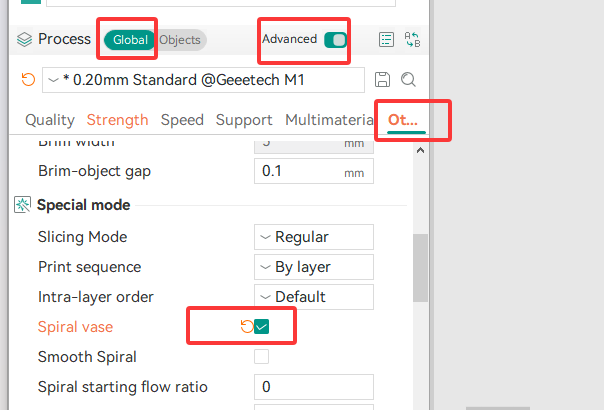
In Orca Slicer vase mode, you simply enable “Spiral Vase.” Once selected, the software automatically adjusts key parameters:
- Wall loops: 1
- Support: Disabled
- Top shell layers: 0
- Sparse infill density: 0
- Timelapse type: Traditional
This automation ensures your model is properly configured for spiral 3D printing.
Bambu Studio
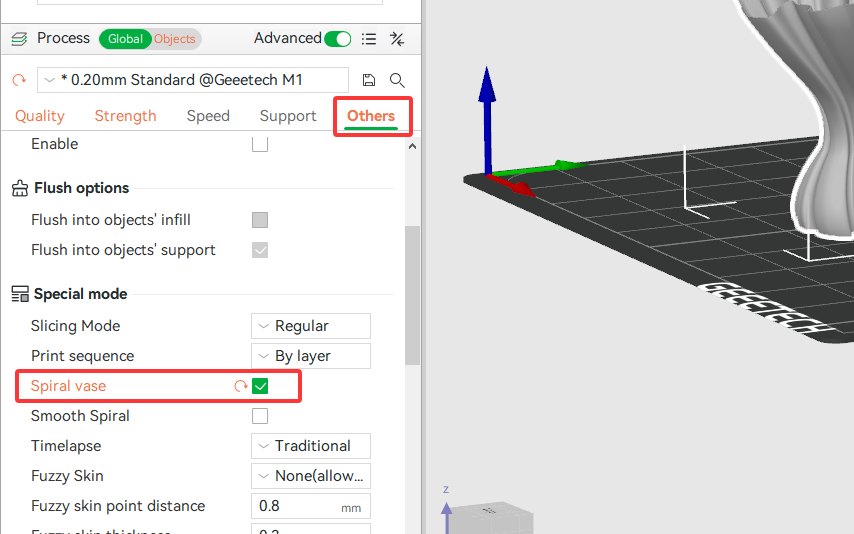
In Bambu Studio, vase mode, the feature is also called “Spiral Vase.” Enabling it automatically updates all relevant settings, similar to OrcaSlicer. This makes it beginner-friendly while still producing high-quality results.
Cura
In Cura vase mode, the setting is labeled “Spiralize Outer Contour.” Once enabled, Cura converts your model into a continuous spiral toolpath. This is one of the most widely used methods for creating a 3D printed spiral vase.
Tips for Strengthening the Thin Wall
Prints may be weak since vase mode only generates one wall, especially with a conventional 0.4 mm nozzle. Still, you may greatly increase strength with the correct settings:
| Setting | Recommendation | Why |
| Line Width | 0.6 mm – 0.8 mm | A 0.4 mm nozzle can extrude wider lines, increasing wall thickness |
| Bottom Layers | 4 – 6 layers | Creates a heavier, more stable base |
| Print Speed | 20 – 40 mm/s | Slower speeds improve extrusion consistency and layer bonding |
| Cooling | 100% fan speed (PLA) | Helps the thin wall solidify quickly and prevents deformation |
Increasing line width is one of the most effective ways to reinforce a 3D print vase mode object without changing hardware. It allows you to maintain the speed benefits of vase mode while improving durability slightly.
Conclusion
Vase mode is a strong and efficient method in 3D printing that changes how objects are printed, giving a smooth and beautiful finish that is ideal for decorative items like vases, lampshades, and creative containers.
Still, the 3D printer vase mode is ideal for simple, hollow, and open-top designs, as other constructions might not gain at all. Therefore, with the appropriate model, suitable slicer settings, and careful material choices, you may produce breathtaking spiral vase designs quickly and effectively. Happy printing!