You are often faced with a crucial decision when you complete a 3D model in your design program and click “Export.” Which file kind should you use? For years, the response was only STL. But the additive manufacturing industry has been transformed with the introduction of the 3MF standard. So let’s look at both formats to help you decide. Enjoy!
Overview of 3MF and STL File Formats
Understanding the difference between the two popular formats requires a study of both 3MF and STL’s origins and design principles.
What Is a 3MF File?
The 3D Manufacturing Format is designed expressly for the subtleties of additive manufacturing and is a contemporary XML-based data format. Created and distributed by the 3MF Consortium, a cooperative initiative spearheaded by business leaders like Microsoft, Autodesk, HP, and Stratasys, this addresses the restrictions of conventional 3D file formats.
A 3MF file acts as a “smart” package that functions like a ZIP archive and contains not just the 3D model but also information about materials, colors, textures, and even printer settings.
What Is an STL File
Among the most often used formats in 3D printing is STL. Developed in 1987 by 3D Systems, the form depicts a 3D item using a mesh of small, connected triangles meant to reflect the surface of the model. Every triangle forms a small area of the geometry, as they collectively produce the whole shape that a 3D printer can read.
Since STL files just contain geometric data, they lack information like colors, textures, materials, or measurement units. STL is nevertheless a benchmark in several CAD applications, slicing programs, and 3D printing processes because of its simplicity and widespread compatibility.
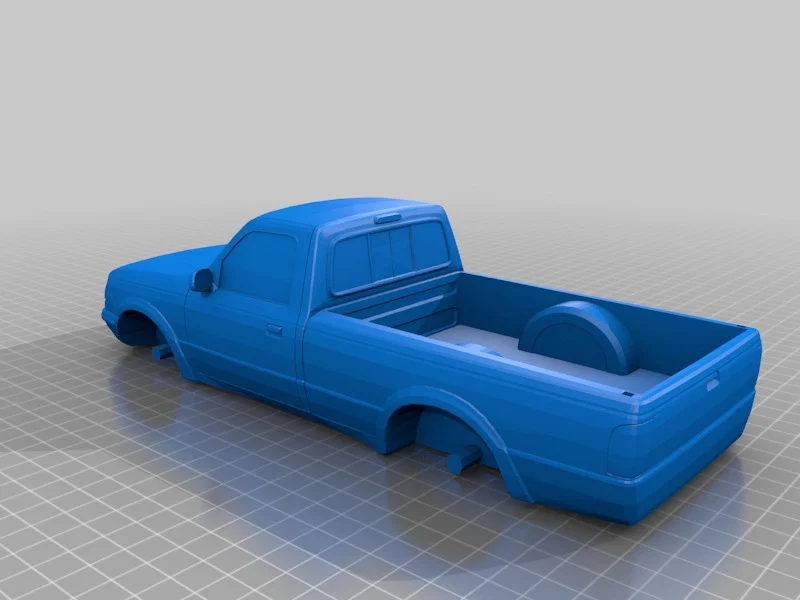
3MF VS STL: Pros and Cons
Selecting among these forms usually involves striking a balance between the need for universal compatibility and the necessity for sophisticated capabilities. Here is their benefits and drawbacks analysis.
Pros of 3MF File Format
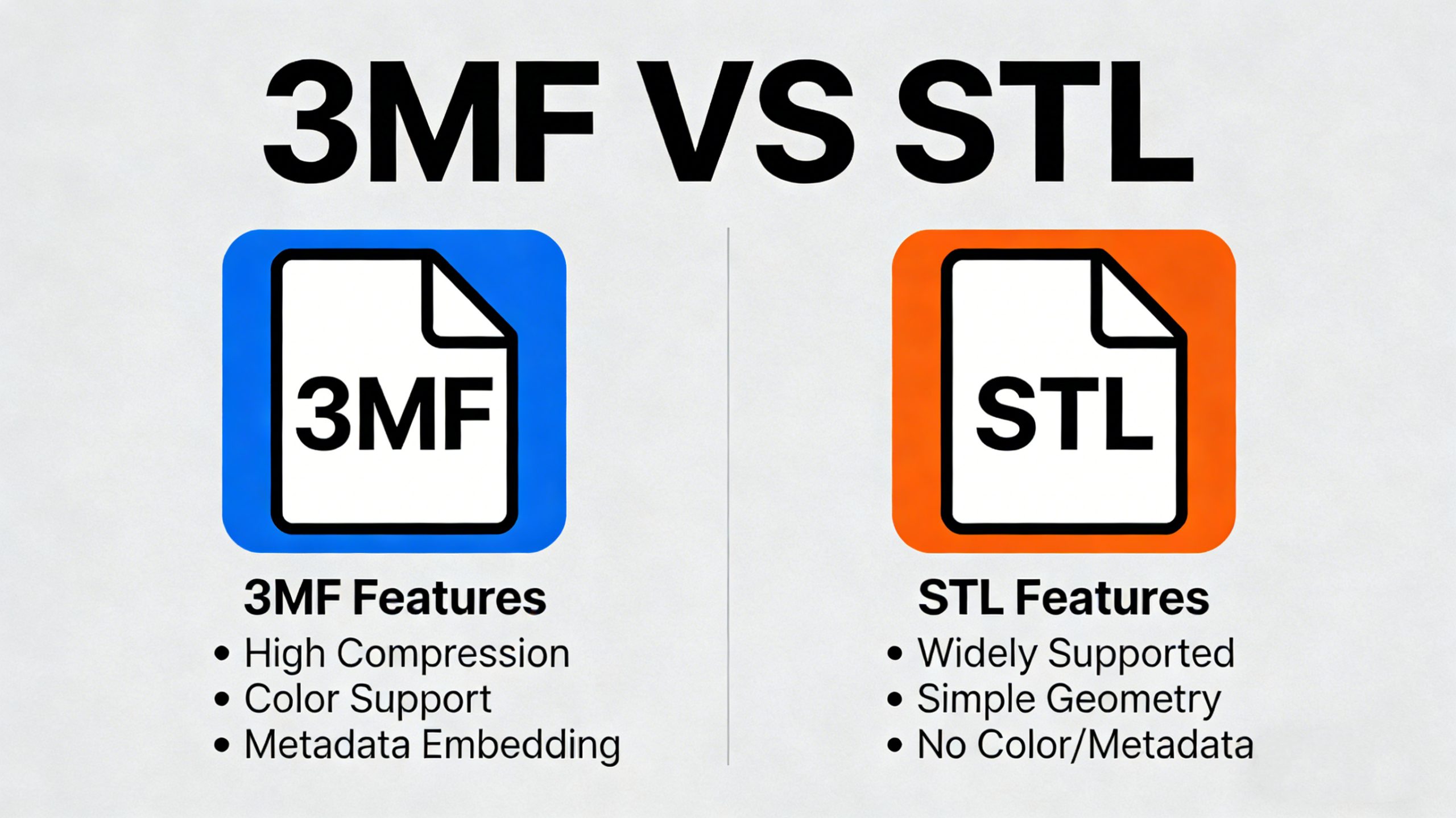
- 3MF is very useful for multi-material or full-color 3D printers because it can store colors, textures, and materials, unlike STL.
- Directly inside the file, it saves all the “digital thread”, including part orientation, support structures, and slicer settings. Sharing a 3MF file amounts to sharing a full, ready-to-print project.
- Often leading to file sizes much lower than STL files for the same model, 3MF stores vertex information effectively via compression.
- The specification requires the mesh to be “manifold” (watertight), reducing the likelihood of corrupted or unprintable 3D printing files.
Cons of 3MF File Format
- The major drawback of 3MF is its lack of broad support for some legacy CAD software, older slicers, and very elderly printers.
- Although the format is consistent, not all programs allow the complex extensions. Hence, some data could be lost when transferred between platforms.
Pros of STL File Format
- The almost universal adoption of STL makes it useful for most applications and 3D printers.
- For basic, single-color, single-material models, STL is often “good enough.” It is straightforward to generate and easy to understand.
- The majority of online repositories, like Thingiverse and Printables, are saturated with STL files for 3D printing, making it the default format for sharing designs.
Cons of STL File Format
- STL files only have information about the surface geometry. They cannot store texture, color, scale units, or multi-part assembly information, which sometimes results in misunderstandings.
- Going from CAD to STL, the change occasionally produces “unclean” meshes with gaps, overturned normals, or non-manifold edges, calling for laborious fixes.
- Massive, cumbersome file sizes might result from complicated curved surfaces since STL saves every triangle independently without a good indexing scheme.
3MF VS STL: Main Differences
To summarize, here are the critical distinctions between the two formats.
| Feature | STL (Stereolithography) | 3MF (3D Manufacturing Format) |
| Geometry | Triangle mesh | Indexed triangle mesh |
| Color & Texture | Not supported | Fully supported |
| Printer Settings | Not supported | Supported |
| Multi-Part Models | Not supported | Supported |
| Units | Unitless | Fixed |
| File Size | Large, redundant data | Compact |
| Integrity | Often requires repair | Manifold/Watertight by specification |
Which Is Better, 3MF or STL?
Considering just technical features, 3MF is the better format compared to STL. It is more secure, smarter, and smaller. It eliminates guesswork by embedding manufacturing intent directly into the file. However, the “better” choice depends on your specific needs.
STL remains a giant due to its ecosystem and simplicity. For quick prototyping where color and complex materials aren’t required, STL’s universality makes it a safe bet. However, for modern workflows involving multi-color printers or when you need to archive a project with all its settings intact, 3MF is unmatched.
While STL’s ecosystem is still massive due to technological inertia, the industry is steadily migrating toward 3MF. In the future, as software and hardware support become ubiquitous, the answer will almost certainly be 3MF.
How to Convert .3MF to .STL?
Even though the 3MF file format has clear advantages, many people still swear by STL. This creates a situation where there is often a need to convert 3MF to STL or the other way around, for a number of reasons, such as:
- Improve software compatibility with older machines or programs.
- Keep only the model geometry by stripping away printer-specific settings.
- Make sharing and downloading easier for users who only need the raw mesh.
- Make the model easier to edit in software that handles mesh well.
- Remove old print settings that may conflict with a new printer setup.
Software
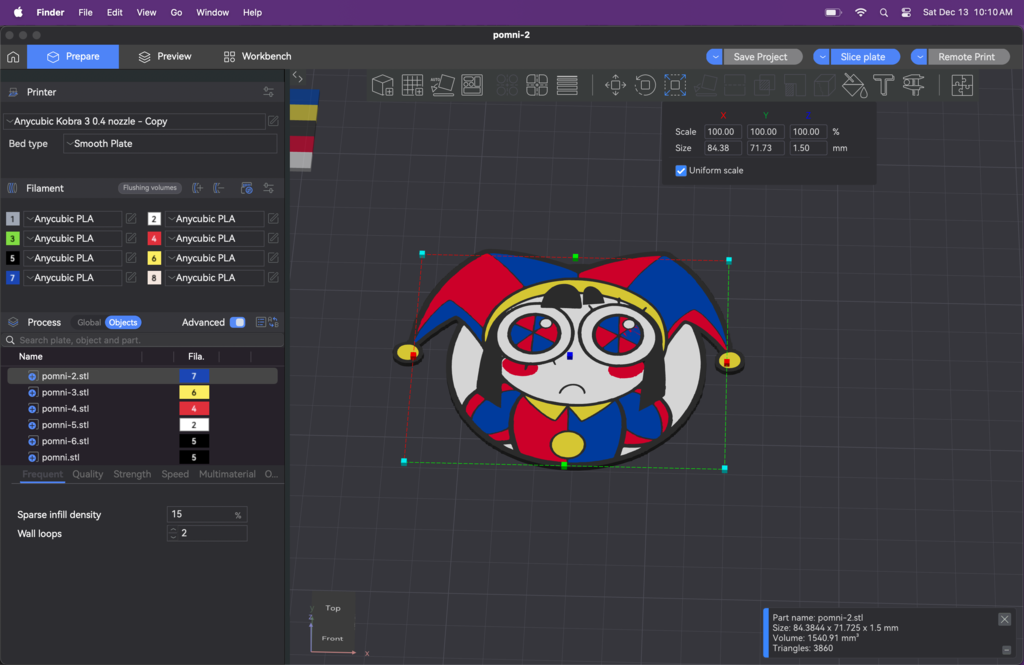
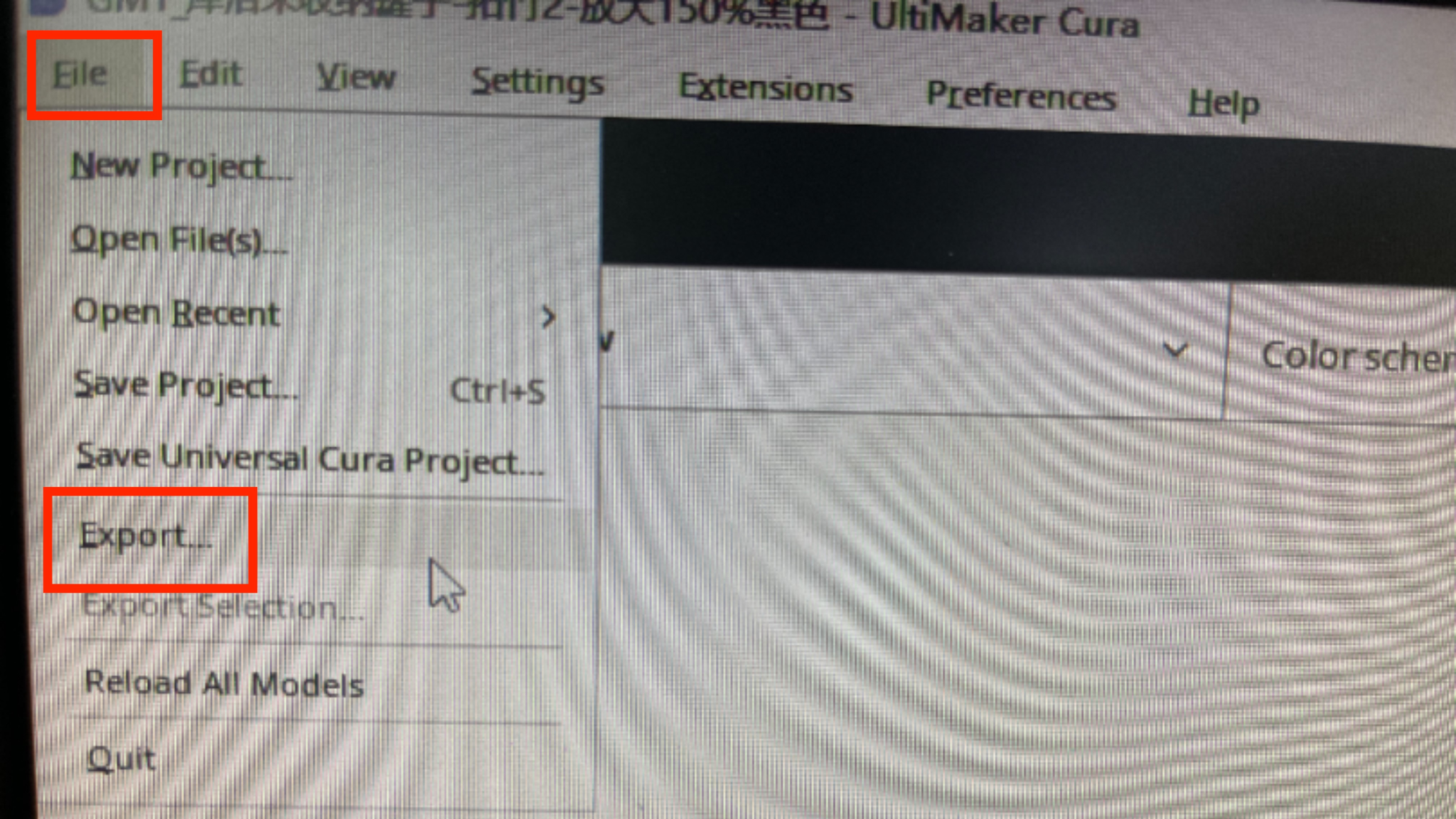
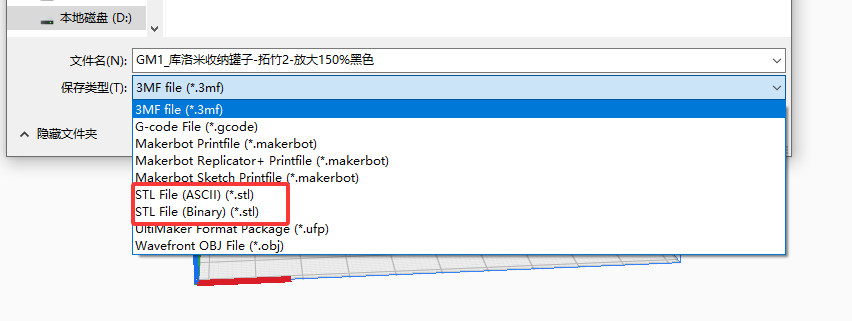
Slicing or design software offers the most dependable approach to convert 3MF to STL. Programs that handle 3MF files include Ultimaker Cura, PrusaSlicer, and Creality Print. Once loaded, you can usually export or “Save as” STL. This method often allows you to visualize the model and adjust it before conversion.
Ultimaker Cura Example:
Other options include more complex 3D model software, such as Blender, Meshmixer, CAD or Autodesk. These tools allow you full control over the models, making it possible to edit everything you could want. They are also useful for inspecting the mesh and vertices, in order to make smaller adjustments if you have issues with your 3D printing software or printer itself for a specific file.
Online Conversion Websites
For quick, one-off conversions without installing software, online tools are very convenient.
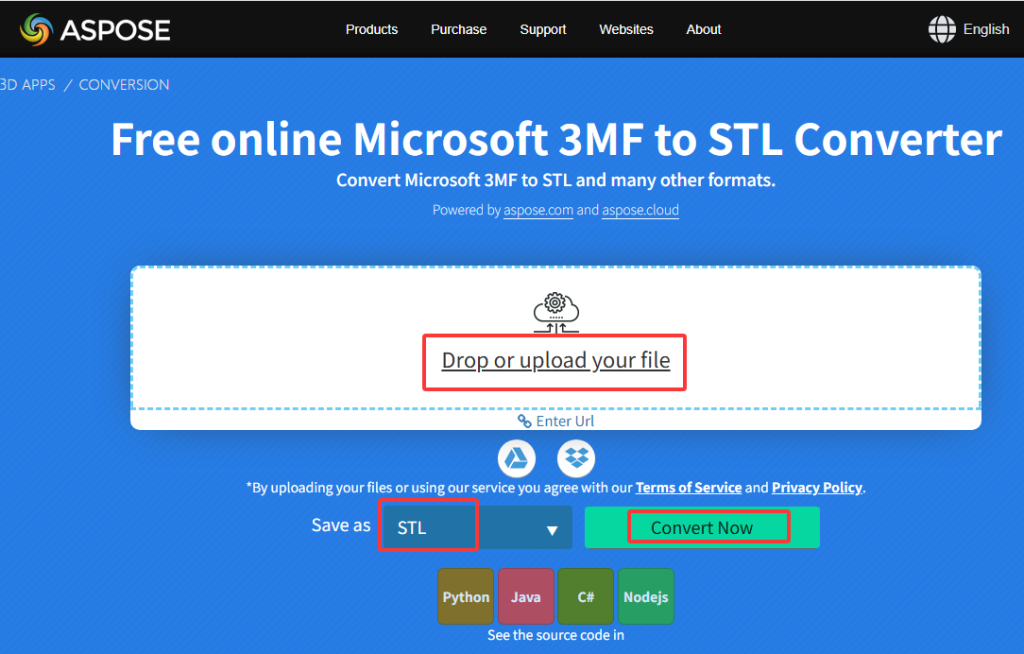
A free online application called Aspose 3D Conversion lets you download immediately as an STL file after you drag and drop a 3MF file. It runs right in your browser, also letting you convert STL to 3MF if you need, and supports a range of 3D printing forms.
AnyConv and similar sites offer straightforward conversion services, though users should always be cautious about uploading proprietary or sensitive designs to cloud servers.
Conclusion
Between 3MF and STL, there is a traditional confrontation between heritage and novelty. Bringing 3D printing to life, STL is still a trustworthy, worldwide geometry benchmark. But STL’s constraints become more obvious as printing techniques move toward multi-material and full-color applications. Carrying the whole story of a print job inside one tiny file, 3MF provides a powerful, future-proof solution.
While converting between the two is currently a necessary skill to navigate the transition period, the trajectory is clear. The future of additive manufacturing lies with the intelligent, comprehensive 3MF format.